


Speedometer
4.3413.00 Reviews
App Specs
- Version
- 2.0.0
- Updated On
- License
- Free
- Downloads
- 100,000+
- Developer
- Peace
- Categories
- Auto & Vehicles
- Platform
- Android
Screenshots
 Analysis by AppCompare
I find a phone speedometer most useful when I need a quick, independent sense of movement rather than another full navigation system. That distinction matters: Speedometer, made by Peace, is a free Auto & Vehicles app built around checking speed, so it makes sense for a driver, cyclist, or curious passenger who wants a simple reading. I would not treat a phone display as a replacement for a vehicle’s instruments or as a reason to look down while moving. Its value is convenience, and whether that convenience is worth using depends on where and how you travel.
Start with the kind of speed check you need
Before installing any speed tool, I’d ask what I want it to do. If I only need directions and occasional speed awareness, the navigation app I already use may be enough. If I want a separate speed display for a short drive, a bicycle ride, or a quick comparison, a dedicated speedometer is a more focused choice. This app’s modest purpose is also its main appeal: there is less to learn than in a feature-heavy driving or route-planning tool.
Speed readings from a phone depend on location tracking, so I’d think about the route as well as the app. An open road gives the phone a better chance of maintaining a useful GPS signal than a tunnel, a covered garage, or streets bordered by tall buildings. Starting the app before setting off gives it time to settle, and placing the phone where the display can be checked safely is more sensible than handling it in motion. A passenger can manage it if the driver needs a reading.
Where a focused speedometer is useful
This is a good fit when the usual dashboard is awkward to read, when I’m riding a bicycle and want a separate glanceable reference, or when I’m curious whether my pace changes across a familiar route. The app has a 4.4 average from around 1,500 ratings and more than 100,000 installs, which suggests it has found an audience for this straightforward task. Those figures are useful context, but the practical test is whether the reading is clear and stable on the trip I actually take.
A realistic use is a cyclist checking speed on a quiet, open stretch, then putting the phone away before a junction or busy section. On a longer drive, a passenger could compare the app’s reading with the car display in steady conditions. I would not use either situation to chase a maximum or react to every small change: GPS readings can fluctuate, and a brief variation is not necessarily a meaningful change in road speed.
Getting Started with the App
First things first, downloading the Speedometer app is a breeze. Whether you're on Android or iOS, you can easily find it in the app store. Once installed, the setup is quite intuitive. The interface greets you with a clean, minimalistic design that’s easy on the eyes. No clutter or overwhelming menus here – just a straightforward dashboard that gets the job done.
Setting up the app involves granting it access to your location services. This is crucial since the app relies on GPS to track your speed accurately. Don’t worry, though; it’s pretty standard fare for apps like this. Once that’s done, you’re good to go.
Worth Reading Before You Choose

EA SPORTS FC Mobile 26 Is a Bigger Football Game, but It Takes Time

Flipboard Shows What News Apps Must Do Beyond the Feed

Switching to Android Auto Means Rethinking Your Driving Routine

Google Calendar Makes a Crowded Week Easier to Manage

Ludo King Makes the Most of the Minutes Between Plans

Baby Panda World Brings Quick Play to Modern Phones, but Its Game Library Feels Busy
Features That Stand Out
What I really appreciate about the Speedometer app is its variety of features packed into such a simple package. You’ve got your basic speed tracking, of course, but it doesn’t stop there. The app allows you to switch between different units of measurement – whether you’re a kilometers per hour (km/h) or miles per hour (mph) person, it’s got you covered.
For those who love to keep track of their journeys, there’s a handy trip tracking feature. It logs your distance, average speed, and even keeps a record of your maximum speed. This can be particularly useful if you’re on a road trip or cycling adventure and want to keep tabs on your stats.
A safer way to use the trip tools
Trip figures are most helpful as a personal record, not as proof that every segment was measured perfectly. If I’m comparing two outings, I’d try to start and finish in similar places and avoid drawing conclusions from a route with long signal interruptions. Average speed can be affected by stops, and a maximum reading can be a short-lived GPS spike. Those numbers can still make a ride more interesting, but they work best as rough context rather than a precise performance report.
If the app offers a speed limit alert in your setup, I’d treat it as a reminder rather than a substitute for road signs or attention. A phone-based alert may arrive late if the GPS position updates slowly, and local limits can change from one block to the next. I would set a conservative personal threshold only when it helps me stay mindful, never use it to decide that a road is safe to speed on, and avoid adjusting it while travelling.
User Experience and Interface
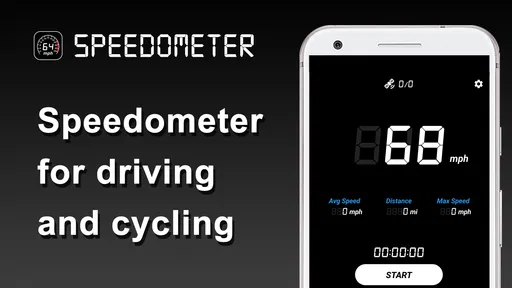
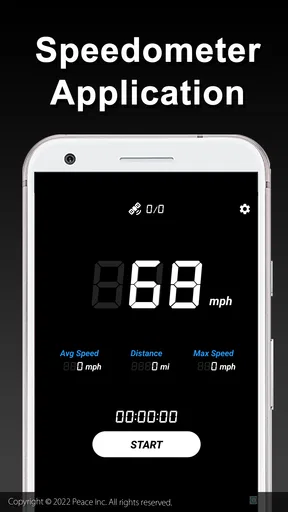
The user experience is smooth and fluid. Navigating through the app is a piece of cake, thanks to its intuitive design. The main screen displays your current speed in large, bold numbers – easy to see even at a quick glance. There’s also a digital odometer and compass for those who like a bit of extra information.
Customization is another area where the app shines. You can change the color scheme to suit your mood or vehicle interior, and there’s even an option to tweak the display settings for better visibility during night rides.
Make the screen work for the trip
For a driver, I’d set the unit before leaving and mount the phone so the speed display is peripheral rather than something that pulls attention away from the road. A bright, high-contrast look may help in daylight, while a less glaring screen can be easier on the eyes after dark. On a bicycle, I’d make any display choice while stopped and keep the phone secured; a large number is only useful if checking it does not compromise balance or awareness.
There is a small trade-off in using a phone for this job: the same device may be needed for directions, calls, or music, and keeping its screen awake for speed checks can be inconvenient. Battery use and visibility also depend on the phone and conditions, so I’d avoid planning a long outing around the speed display alone. If I only need a one-off check, I can open the app for that purpose and close it afterward rather than making it part of every journey.
Performance and Accuracy
Now, let’s talk about the performance. During my testing, the Speedometer app performed admirably. The speed readings were consistent and synced well with my car’s speedometer. I also tried it while cycling, and the results were just as reliable. The GPS connection was stable, and I didn’t experience any significant lags or dropouts.
However, like any GPS-based app, its accuracy can be influenced by your environment. Dense urban areas or heavy foliage might affect the signal quality. But in typical conditions, it works like a charm.
What to do when a reading looks wrong
If the number seems implausible, I would not react by making a sudden change in driving or riding. I’d wait for a steady stretch, check that location services are available, and compare again when the phone has a clearer view of the sky. A tunnel, a tall-building corridor, or a stop-and-start route can produce a less dependable reference. This is one reason I prefer the vehicle’s own speedometer for decisions that require an immediate, legally relevant reading.
For a driver who wants built-in vehicle data, a dashboard display or a dedicated in-car device may be the better tool. For someone planning routes, a navigation app offers a broader job than this one. A cycling computer can also suit frequent riders who want a purpose-built handlebar display. Those alternatives may be more appropriate for regular use, while a phone speedometer is appealing when I want a simple, already-in-my-pocket option without buying another device.
Cost, compatibility, and the switch
The app is free to download, with in-app purchases listed at about ten dollars per item. I would begin with the free experience and decide whether I need anything beyond it before spending money. The current version is 1.5.0, it was released on September 24, 2022, and it requires Android 6.0 or later. Its age rating is Everyone, so the basic audience is broad, though safe handling still matters more than the rating when using it around traffic.
Switching from another speed tool is low effort if all I need is a current reading: install it, allow location access, choose a preferred unit, and try it on a safe, familiar route. The bigger cost is not setup but changing habits. If I already rely on a car dashboard, I may gain little by adding another display. If I often ride a bicycle or want trip figures, the extra reference may be worthwhile, provided I’m comfortable carrying and securing the phone.
Who should choose something else
I would skip this app if I need certified or vehicle-grade measurements, dependable readings inside tunnels, or a full navigation and traffic-planning experience. It is also not a good choice for anyone who expects a phone to remove the need to watch the road. A dedicated instrument is better for frequent, demanding use, and an existing dashboard is usually the sensible source for routine driving speed.
On the other hand, I can see the appeal for occasional users who do not want another gadget. Peace’s app has a focused role, and its 4.4 average alongside 399 written reviews gives a prospective user some social context without telling them exactly how it will behave on their particular phone or route. I would judge it on a short, safe test rather than assuming every GPS-based speed reading will be equally steady everywhere.
Final Thoughts
All in all, the Speedometer app is a nifty little tool that does exactly what it promises. Whether you’re a driver, cyclist, or even a walker just curious about your pace, it’s a great companion to have. It’s user-friendly, packed with useful features, and performs reliably.
If you’re looking for an app that provides precise speed tracking without unnecessary frills, this one is definitely worth checking out. Plus, it’s free, which is always a bonus. So go ahead, give it a try – you might find it becomes an indispensable part of your journeys.
My recommendation is to think of it as a convenient secondary display, not a safety device or a replacement for a vehicle’s instruments. It suits someone who wants a quick speed check, likes reviewing basic trip figures, and is willing to use GPS readings with sensible caution. If that describes you, try it on a familiar route and see whether the display earns a place in your routine; if you need navigation, continuous precision, or hands-free vehicle integration, choose a tool designed for that job instead.
Pros
- Accurate speed tracking in real-time.
- User-friendly interface with easy navigation.
- Customizable display options available.
- Works offline without internet connection.
- Battery-efficient
- minimal power usage.
Cons
- Limited features in the free version.
- Ads can be intrusive during use.
- Not compatible with all devices.
- Requires GPS for accurate measurement.
- No integration with fitness apps.
FAQs for Speedometer
What features does the Speedometer app offer?
The Speedometer app provides real-time speed tracking using your device's GPS. It offers features such as average speed calculation, trip distance tracking, and customizable speed units. Additionally, users can set speed limits with alerts, view historical trip data, and access a user-friendly interface for both driving and cycling activities.
Is the Speedometer app accurate?
The Speedometer app uses your device's GPS to measure speed, which can be highly accurate under optimal conditions. However, accuracy may vary based on GPS signal strength, environmental factors, and device settings. For the best results, ensure your GPS is enabled and keep your device in an open area with minimal obstructions.
Does the Speedometer app require an internet connection?
No, the Speedometer app does not require an active internet connection to function. It relies on GPS technology to measure speed and track distance. However, an internet connection may be needed for additional features such as map integration or sharing trip data with other applications.
Can I use the Speedometer app for activities other than driving?
Yes, the Speedometer app is versatile and can be used for a variety of activities beyond driving. It is suitable for cycling, running, or walking, providing accurate speed and distance measurements. Users can customize settings to match the specific requirements of different activities, ensuring a seamless experience.
Is the Speedometer app compatible with both Android and iOS devices?
Yes, the Speedometer app is designed to be compatible with both Android and iOS platforms. It is optimized for a wide range of devices, ensuring smooth performance and a consistent user experience. Users can download the app from the Google Play Store or the Apple App Store.


